



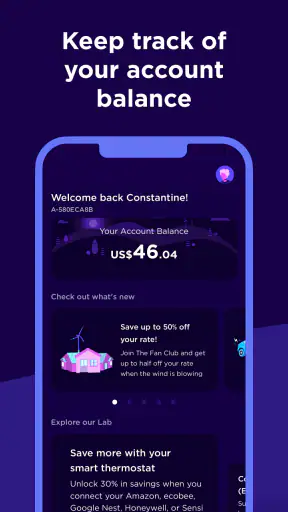
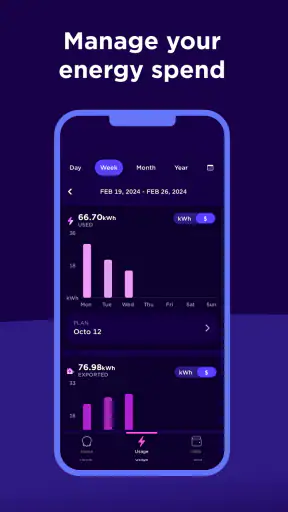
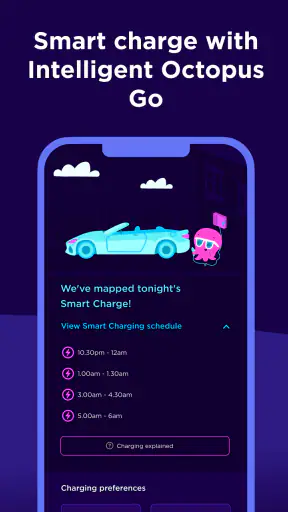
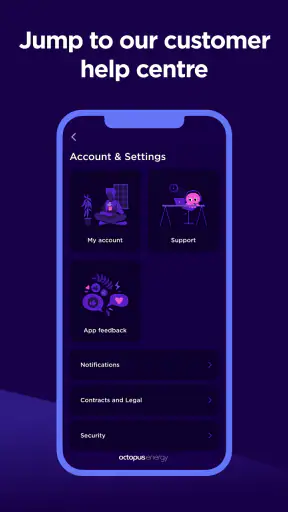
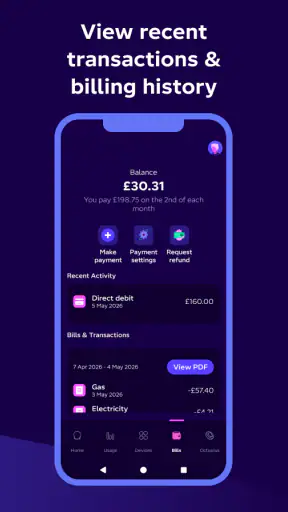
I found Octopus Energy most useful when I treated it as a quick way to reach my energy account rather than as a complete replacement for every household energy task. The app puts the customer side of Octopus Energy in a mobile format, which is convenient when I want to check my account without opening a browser. It is a free House & Home app from Octopus Energy, aimed at everyone, and its simple purpose is clear: keep account access close at hand.
That simplicity is also where my expectations had to be adjusted. This is not an app I would choose for detailed home automation, appliance control, or a broad comparison of energy providers. Its value depends heavily on whether your Octopus account is already set up correctly and whether the service has current information to display. When those two things line up, it can save time. When they do not, the app may feel unhelpful even though the underlying issue is elsewhere.
Getting past the first points of friction
The first place I would expect a user to get stuck is account access. An energy app is only useful after it connects you with the correct customer record, so I would begin with the same email address and account details used for Octopus Energy. A small mismatch can make a normal login feel like an app failure. Before repeatedly trying the same credentials, I would check spelling, saved passwords, and whether I am using the account associated with the right property.
That matters particularly for people who have recently moved, changed their contact details, or manage more than one household account. I would not assume that reinstalling the application will fix an account-identity problem. Reinstallation can refresh the local installation, but it cannot correct information held on the energy account itself. In that situation, checking the account details through the official Octopus customer route is a more sensible next step than endlessly resetting the phone.
On Android, the application requires version 8.0 or later. That is a fairly broad compatibility range, but an older phone can still introduce practical problems through outdated system components, limited storage, or aggressive battery management. I would first make sure the phone has enough free space and that its operating system is supported. I would also update the app through the normal store process rather than relying on an old installation to repair itself.
The current release is version 4.142.0, so keeping the installed copy current is worthwhile. Updates can improve stability and account handling, but they do not guarantee that every screen will behave perfectly on every device. If something changes after an update, I would close the app completely, reopen it, and then test the same action once more before making larger changes. That simple sequence helps separate a temporary loading problem from a persistent account issue.
My most useful setup habit is to confirm the account before judging the interface. I would verify that I can identify the correct property, recognize the expected account information, and understand what the app is showing before relying on it for a household decision. This is especially important if several people in the home use the same account or if one person handles the bills while another checks the phone.
What I would check before calling it broken
A blank or incomplete screen does not always mean the installation is damaged. I would first check the phone’s connection by switching between Wi-Fi and mobile data, then try again after reopening the app. If other applications also struggle to load, the energy app is probably not the main cause. If everything else works but one account area remains unavailable, the problem is more likely related to account data or the service behind that screen.
I would also check the phone’s date and time settings. Incorrect time information can cause odd behavior in services that depend on secure connections, even when the user has entered the right details. This is a general device check rather than an Octopus-specific fix, but it is quick and harmless. I would avoid changing advanced network settings unless I already knew they were responsible.
Notifications are another area where expectations can become confusing. If I am waiting for an alert and do not see one, I would check both the app’s notification permission and the phone’s general notification controls. I would also look at battery-saving settings, because some phones delay background activity. I would not assume that every account event must arrive as a notification; I would open the relevant account area directly when the information matters.
For privacy and security, I would use the official app-store installation and avoid entering account credentials into unofficial copies or pages reached through random messages. Because this application connects to an energy account, convenience should not come at the cost of careless sign-in behavior. A secure screen lock and a unique account password are more useful protections than repeatedly clearing the app’s data.
Recovering a workflow without losing track of the task
When an action appears to stall, I would avoid tapping the same control over and over. First I would note what I was trying to do, whether the screen changed, and whether any confirmation appeared. Then I would leave the app, reopen it, and check whether the account now reflects the action. This is a better habit than assuming that a slow response means nothing happened.
If the app closes unexpectedly, I would restart it and repeat only the final step after checking the account state. Clearing temporary app data can sometimes help with a damaged local session, but I would treat that as a later step and make sure I know my login details first. Clearing storage or uninstalling can remove local sign-in information, so it should not be the first response to a single frozen screen.
A useful recovery method is to change only one variable at a time. If the app fails on Wi-Fi, try mobile data. If it fails after returning from the background, reopen it from scratch. If it fails on one phone, test the account through the normal web route if available. This does not solve every problem, but it tells me whether I am dealing with the device, the connection, the app session, or the account service.
I would also keep a simple record of important attempts. For example, I might note the time, the account area I opened, and whether the screen showed an error or merely kept loading. That information is much more useful when contacting support than saying only that “the app does not work.” It can prevent repeated troubleshooting and makes it easier to explain whether the trouble affects one action or the whole account.
One trade-off is that a mobile app encourages quick checks, while energy-account tasks sometimes need patience. I like the convenience of opening the account from my phone, but I would not use a partially loaded screen as proof that a payment, reading, or account change failed. I would confirm the result before trying again, particularly when repeating an action could create confusion or duplicate work.
Everyday situations where it earns its place
My clearest use case is a quick household check while I am away from my desk. If I want to look at the Octopus account during a normal day, a dedicated app is more comfortable than opening a browser, finding the correct page, and signing in from scratch. That is a modest benefit, but it is exactly the kind of small convenience that makes a phone app worthwhile.
It can also help when responsibility is shared at home. One person may handle the account while another wants to check the latest information without using a laptop. In that situation, I would agree on which account is being used and avoid saving credentials on a device that other people can access freely. The app is most useful when it reduces a simple access barrier, not when it becomes the only record of what happened.
For someone who checks energy information frequently, the mobile format is likely to feel more natural than a browser. For someone who only reviews the account a few times a year, the advantage is smaller. I would not install it solely because every household needs an energy app; I would install it if quick account access fits my routine.
The application has passed one million installs and holds an average rating of 3.7 from around forty-seven thousand ratings. I read those figures as evidence of broad use rather than as a guarantee that every customer will have a smooth experience. A rating in that range suggests a mixed experience, which matches my view: the basic idea is practical, but account access and service-dependent screens can strongly affect satisfaction.
When the app is not the real cause
Energy accounts depend on more than the phone interface. If information is delayed, a balance looks unexpected, or a recent change has not appeared, I would not immediately blame the application. The underlying account, meter information, billing process, or customer-service workflow may be involved. The app can display what is available to it, but it cannot independently correct the source information.
This distinction is important when deciding whether to wait, retry, or contact Octopus Energy. A temporary connection problem calls for a later retry. A login mismatch calls for account verification. A persistent account discrepancy calls for customer support, especially if the information affects a payment or an important household decision. Repeatedly reinstalling the app is unlikely to be the right answer to a record that is wrong at the account level.
I would also compare the app with the usual alternative: a mobile browser. The browser may be better when I need a wider view, when the app is having a session problem, or when I want to avoid adding another application to an older phone. The app is better for quick, repeat access and a more focused mobile experience. Neither option is automatically superior; the right choice depends on whether the difficulty is navigation or account data.
People looking for a full energy-management platform should be careful about what they expect. I would skip this app if my main goal were smart-home control, detailed appliance monitoring, or a provider-neutral tool for comparing many services. Its connection to Octopus Energy is its strength for customers of that provider, but it is also the reason it is not a general-purpose home-energy dashboard.
How I would decide whether to keep it
For an Octopus customer who wants account access on a phone, I think the app is worth trying. It is free, its age rating is Everyone, and it comes directly from Octopus Energy rather than from an unrelated account-management developer. The store listing describes it as an account at your fingertips, and in practical terms that is the right way to judge it: does it make your own account easier to reach and check?
I would keep it installed if I regularly use my phone to review household energy information and the account loads reliably. I would not keep troubleshooting indefinitely if the same account problem appears on multiple devices or through the browser. At that point, the app is probably only exposing a wider service issue, and contacting Octopus Energy is more productive.
My final view is positive but measured. Octopus Energy is a convenient account companion, not a complete energy-control centre. Its best feature is the reduction of everyday friction: open the phone, reach the provider account, and check what you need. Its main weakness is that setup, sign-in, connectivity, and account updates can make the experience feel less dependable than the simple interface suggests.
I would recommend Octopus Energy to existing customers who value quick mobile access and are comfortable doing basic troubleshooting when a screen does not load. I would point browser-first users toward the web route if they rarely check the account, and I would suggest a different kind of tool for anyone seeking broader home-energy analysis. Used for the job it actually handles, it is a sensible free addition to a household routine.


